Universal Access

Learn Anywhere, On Any Device

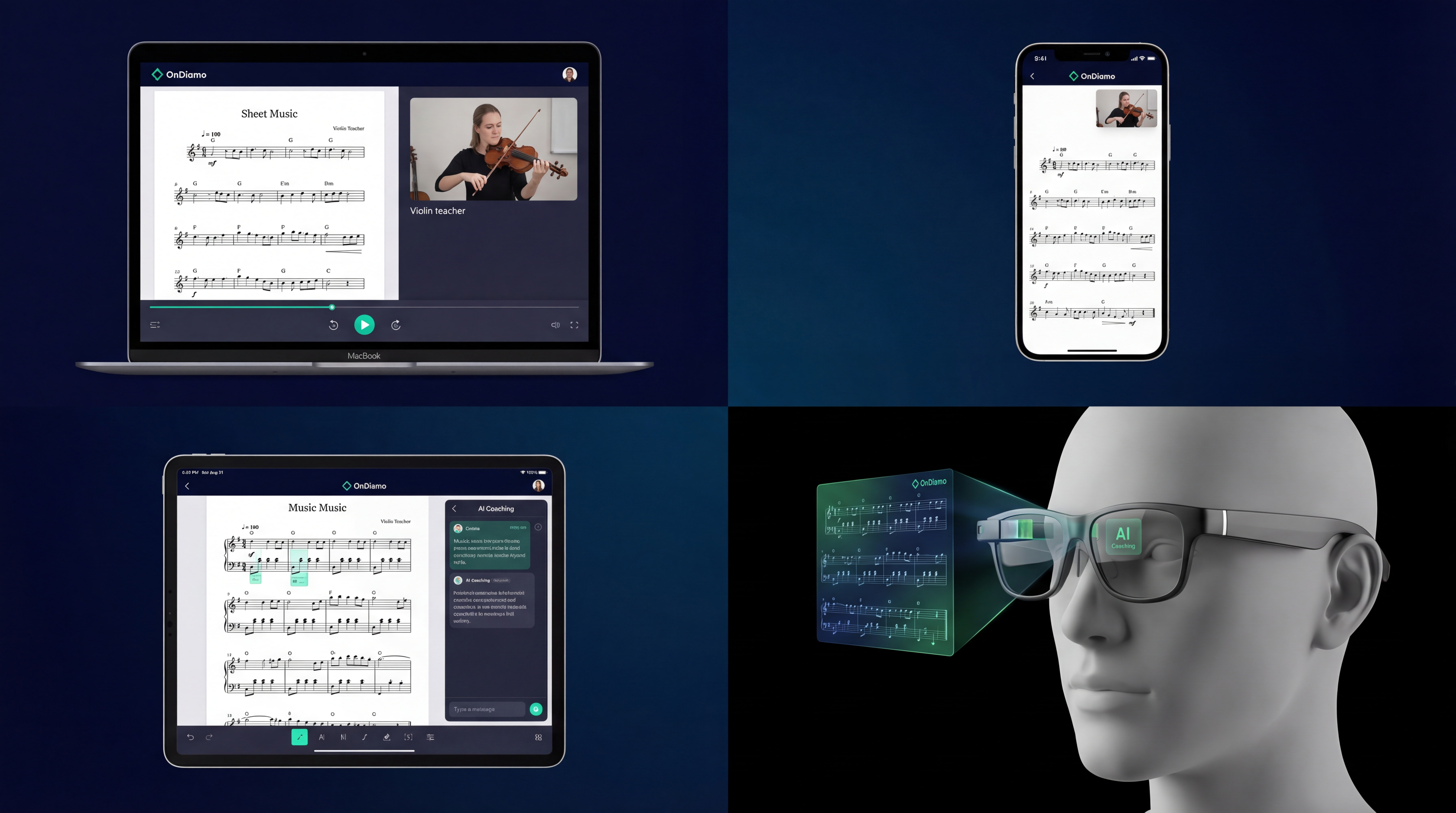
OnDiamo meets you wherever you are. From web browsers and desktops to AR glasses and Smart TVs, your lessons, practice sessions, and progress sync seamlessly across every platform.

One Account. Eight Platforms. Zero Limits.

Whether you are on a laptop at home, a tablet in class, or AR glasses in a workshop, OnDiamo delivers a native experience purpose-built for every device.

🌐
Web Browser
Chrome, Firefox, Safari, Edge. No install needed — just open and learn.
🖥
Desktop App
Windows, macOS, Linux. Built with Tauri for native speed and low resource usage.
📱
Mobile App
iOS and Android. Built with React Native & Expo for true native performance.
📋
Tablet
iPad and Android tablets. Large-screen layouts for reference materials and split-view lessons.
👓
AR Glasses
Apple Vision Pro, Meta Quest, and future AR devices. Immersive spatial learning.
📺
Smart TV
Group viewing and classroom projection. Large-format display for group sessions and demonstrations.
>>_
CLI
Command-line interface for developers and power users. Script, automate, and integrate.
🤖
MCP
Model Context Protocol for Claude AI integration. AI-native workflows, built in.

Start on One Device. Continue on Another.

Every milestone, every lesson bookmark, every AI coaching insight travels with you. Begin a practice session on your desktop, review your AI feedback on the train from your phone, then pick up exactly where you left off on your tablet at the gym, kitchen, or classroom.

  • Real-time state sync across all connected devices
  • Offline-first architecture — never lose progress
  • Conflict-free merge when back online
  • End-to-end encrypted sync for privacy
Learn More About Sync
OnDiamo running on multiple devices showing cross-platform sync

Every Platform, Fully Featured

No watered-down mobile version. No feature-gated desktop app. OnDiamo delivers the complete experience on every device.

Offline Mode

Download lessons, course materials, and AI practice tools for use without an internet connection. Progress syncs automatically when you reconnect.

Cloud Sync

Your practice data, lesson notes, AI insights, and preferences are synced in real time across every device via DynamoDB Global Tables.

👥

Real-Time Collaboration

Join live lessons, group workshops, and collaborative practice rooms from any platform. AI-enhanced audio and video ensures every session is crystal-clear, not choppy.

🚀

Low-Latency Streaming

Proprietary latency prediction lets you collaborate in near real-time. The AI syncs audio and video streams for seamless remote interaction.

Augmented Reality. Real Results.

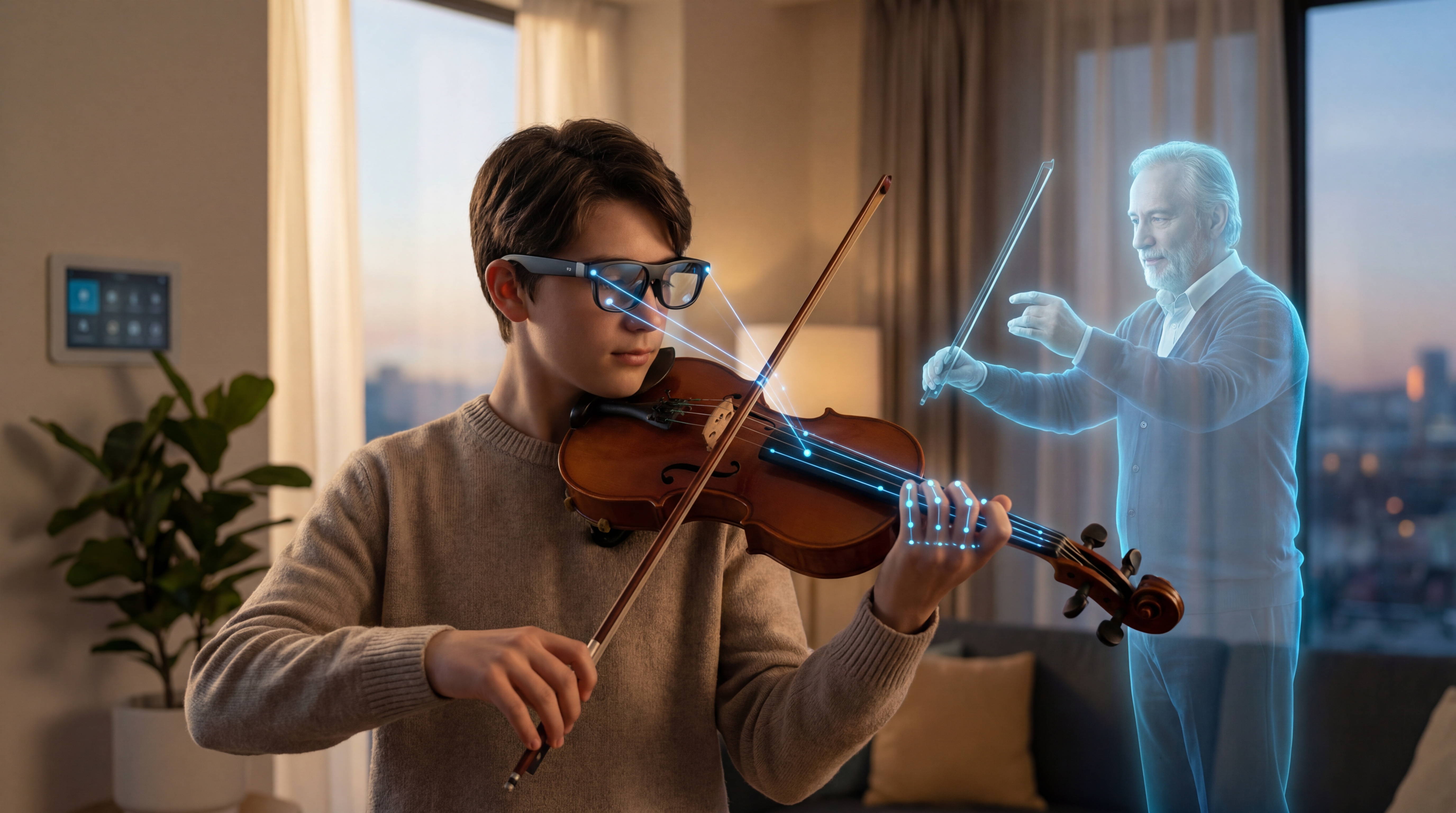
OnDiamo is building the next generation of spatial learning experiences. With support for Apple Vision Pro, Meta Quest, and future AR devices, your practice space becomes an immersive classroom powered by AI.

👀

AR Skill Overlays

Visual overlays guide you through techniques step by step — from hand positions and form corrections to ingredient placements and code structure visualizations.

👻

Ghost Teacher

A semi-transparent hologram of your teacher appears alongside you, demonstrating techniques and guiding your movements in real time during practice.

Student using AR glasses with OnDiamo skill overlays for immersive learning

Full Feature Support Everywhere

Every platform is a first-class citizen. Here is what you get on each.

Feature Web Desktop Mobile Tablet AR TV
Live Lessons
AI Practice Partner
Offline Mode
Course Materials Viewer Best
AR Skill Overlays Best
Group Viewing Best
Posture Detection Best
CLI / API Access

Power Tools for Power Users

OnDiamo is not just for students and teachers. Developers and institutions can integrate directly through our CLI and AI-native MCP server.

>_

Command-Line Interface

Built in Rust with clap, the OnDiamo CLI gives you full control from your terminal. Manage courses, schedule lessons, pull analytics, and automate workflows with scriptable commands.

$ ondiamo lessons list --upcoming
$ ondiamo practice start --course "Intro to Python"
$ ondiamo analytics export --format csv
🤖

Model Context Protocol (MCP)

Our MCP server integrates directly with Claude and other AI assistants. Ask Claude to check your practice schedule, summarize your last lesson, or generate a custom study plan — all through natural conversation.

> "Claude, what did my teacher assign last week?"
> "Summarize my practice stats for October."
> "Create a 15-min study plan for my exam prep."

Ready to Learn Without Boundaries?

Join the waitlist and be among the first to experience OnDiamo on every platform. One account. Every device. No limits.

Get Early Access Talk to Our Team